welcome guys.....
if You are using windows 8 then congratz!!!
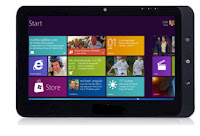
You are familiar, that once you have download any app or game from windows store and you uninstalled it,then you must have to redownload it from store and that waste your resource like internet, time and ultimately money. So in this post i will show you how to make store apps distributable...
1.First download wscrack_32 from
here.
(wait for some second and click on skip ad)
2. After download complets. Extract the downloaded file.
3.Open folder wscrack_32, if u have 32-bt os, open wscrack_64 if you have 64- bit os installed in your pc.
4. click on installer app and install it.
5. Now open wscrack any cpu
6. Run TokensExtrator.
7. Now goto store and open whick application which you want to install.
8.Click on install.
9. Download will be start in store pause it and goto TokensExtartor.
10. Now find the app name which you have installed.
11. click on Dig for .appx URLs button.
12. One new window will be opened click on download button and start
downloading applcation.
13. Now open Windows PowerShell, to open powershell goto search and write
powershell and write following command:
add-appxpackage <apppath and name>
Example: add-appxpackage c:\users\bill\desktop\NewApp.zip
Note: give full path of your zip file(application downloaded), remember to put space between command and path.
14. Now press enter. Installation or deployment will start.


 1:14 AM




.png)
.png)